How to Clean Your Email List: A Practical Step-by-Step Guide
Learn how to clean your email list: remove invalid contacts, re-engage subscribers, reduce complaints, and improve email marketing deliverability.
In this guide
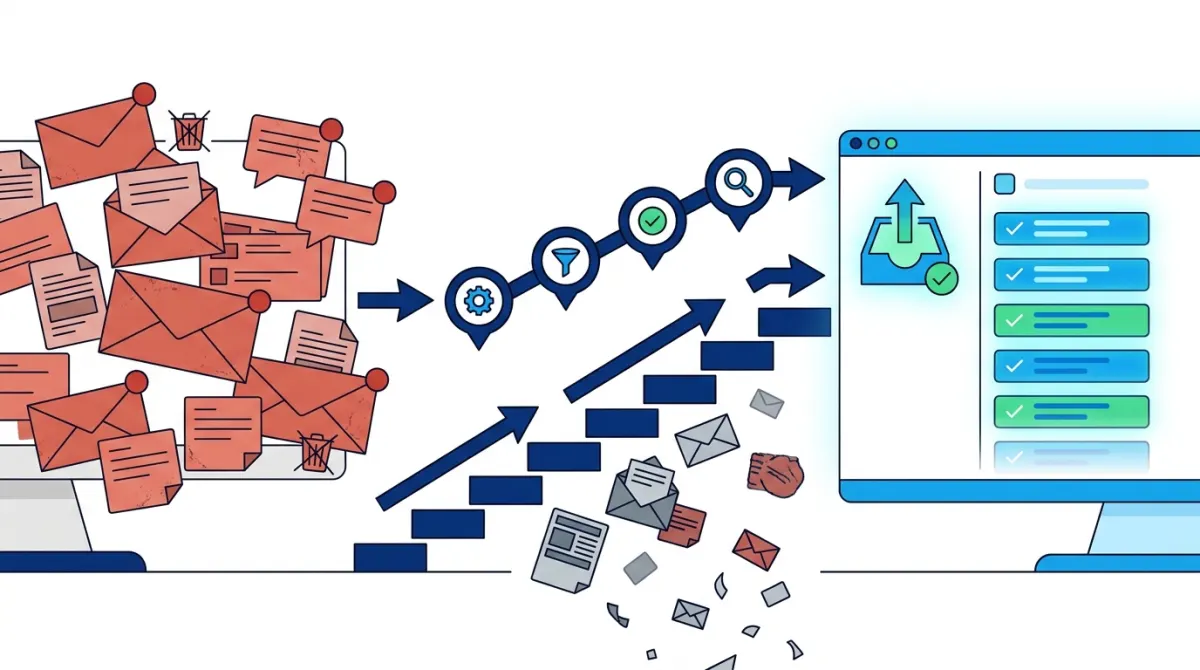
Cleaning your email list means finding invalid, inactive, and disengaged subscribers, then validating, segmenting, re-engaging, or removing them so every campaign reaches people who actually want to hear from you. Doing this protects your sender reputation, reduces bounces, and gives you more accurate engagement data to work with. Most senders who email regularly need to repeat the process every few months, not just once a year.
If your open rates are dropping, your bounce rate is creeping up, or your emails keep landing in spam, the fix usually starts in the same place: your subscriber list. Knowing how to clean your email list is one of the most practical skills a SaaS founder, developer, or info-product creator can build, especially if you are sending your own campaigns and transactional emails without an agency managing the process for you. This guide walks through why list cleaning matters, what to check before you start removing contacts, a concrete step-by-step process, and how to keep your list in good shape going forward.
Why You Should Clean Your Email List
A list that keeps growing but never gets reviewed is not necessarily a healthy list. Subscriber count is a vanity metric; engagement and deliverability are the metrics that actually affect revenue. Here is what a clean list does for you in practice:
- Higher engagement rates. When you stop emailing people who never open or click, your remaining audience naturally shows better open and click-through rates, because the people pulling those numbers down are gone.
- Stronger sender reputation and inbox placement. Mailbox providers track how recipients interact with your emails. Repeated sends to invalid or disengaged addresses signal a problem, which can hurt your email deliverability and push future campaigns into spam folders for everyone, including engaged subscribers.
- Fewer bounces and complaints. Hard bounces and spam complaints are two of the strongest negative signals an inbox provider uses. A clean list keeps both close to zero.
- More accurate reporting. If a third of your list never opens anything, your real engagement rate is hidden behind dead weight. Cleaning the list surfaces the true performance of your campaigns, which matters when you are deciding what content, subject lines, or send times actually work.
- Lower sending costs. Many email platforms price around active contacts or volume sent. Removing addresses that never engage means you are not paying to email people who were never going to buy or read anyway.
None of this requires guesswork. It requires a repeatable process, which is exactly what the rest of this guide covers.
What to Check Before Cleaning Your List
Before you delete or suppress anyone, take stock of what is actually wrong with your list. Jumping straight to deletion without this audit step risks removing contacts who are simply quiet, not dead. Here is what to look at first.
| Signal | What it means | Typical action |
|---|---|---|
| Hard bounces | The address does not exist or the domain is invalid. | Remove immediately, do not retry. |
| Soft bounces | Temporary issue: full inbox, server timeout, message too large. | Retry a few sends, then remove if it persists. |
| Spam complaints | Recipient marked a message as spam. | Suppress permanently, never re-add. |
| No opens or clicks | Subscriber has not engaged in a defined window, often 90 to 180 days. | Segment for re-engagement before removal. |
| Duplicate or malformed addresses | Typos, repeated entries, role-based inboxes like info@ or admin@. | Merge duplicates, fix or remove invalid formats. |
It also helps to check how addresses entered your list in the first place. Contacts imported from an old spreadsheet, a scraped source, or a one-off event signup tend to have far higher invalid rates than people who opted in through your product or website. If you regularly import contacts or add new signups in bulk, running them through an email address validator before they ever reach a campaign list catches typos and dead domains early, which saves you from discovering the problem through a spike in bounces later.
Finally, separate your list by source and by lifecycle stage before cleaning. A trial user who signed up two weeks ago and has not opened a welcome email yet is a different case than a newsletter subscriber who has not opened anything in a year. Treating them the same way during cleanup usually leads to removing people too early or keeping dead contacts too long.
Questions to answer before you start
- What percentage of your list has bounced in the last few sends?
- How many contacts have zero opens or clicks over a defined inactivity window?
- Are there duplicate records with inconsistent tags or subscription status?
- Which segments (by source, by tag, by signup date) show the worst engagement?
- Do you have unsubscribe and complaint data properly recorded, or just assumed?
How to Clean Your Email List Step by Step
Once you have a clear picture of what is wrong, the actual cleanup follows a predictable sequence. The steps below work whether you are managing a few thousand contacts or a larger subscriber base split across multiple tags and lists.
- Export and audit your current list. Pull a full export, or review it directly inside your email platform, and flag hard bounces, spam complaints, and unsubscribed contacts that may still be sitting in an active segment by mistake. These should already be excluded from sends, but it is worth confirming.
- Validate remaining addresses. Run the rest of the list through a validation check to catch malformed addresses, disposable domains, and syntax errors that slipped through signup forms. This step alone often removes a meaningful chunk of the problem before you even get to engagement data.
- Segment inactive subscribers by time window. Group contacts who have not opened or clicked in the last 90 to 180 days into a distinct segment. This window gives enough time to account for people who read emails without clicking, while still isolating genuinely cold contacts.
- Run a short re-engagement sequence. Send a brief two-part campaign to that inactive segment. The first message can ask directly whether they still want to hear from you and highlight something useful or relevant. The second, sent a few days later, can offer a simple way to confirm interest or adjust preferences. Keep both messages short and give one clear action.
- Remove the non-responders. Anyone who does not open, click, or respond to the re-engagement sequence should be removed or moved to a suppressed list. This is the step most people hesitate on, but holding on to contacts who have shown no interest across multiple attempts only drags down your metrics and your reputation. Delete the rest without guilt: a smaller, responsive list outperforms a larger, inert one on every meaningful metric.
- Tag and segment what remains. Once the list is cleaned, use tags to separate contacts by engagement level, source, or lifecycle stage (trial user, paying customer, newsletter reader). This makes future sends more targeted and makes the next cleanup pass faster, since you are working from organized segments instead of one undifferentiated list. If you are managing this inside Lumail, subscriber tags make it straightforward to isolate these segments without exporting data to a separate tool.
This sequence works equally well whether you are cleaning manually, address by address, for a small list, or automating most of it. Manual review has its place for small or high-value lists where every contact matters, but validation tools and re-engagement automations handle the repetitive parts far more reliably at any meaningful scale.
How to Keep Your List Clean Over Time
A one-time cleanup fixes an existing problem, but list quality decays again the moment you stop paying attention. People change jobs, abandon old inboxes, or simply lose interest. Keeping your list clean is an ongoing habit, not a project with an end date.
- Validate at the point of signup. Checking addresses before they enter your list, rather than after they have already received a dozen campaigns, prevents most invalid-address problems from accumulating in the first place.
- Use double opt-in where it fits your product. Requiring a confirmation click after signup filters out mistyped addresses and bots before they ever reach your active list.
- Set a recurring cleanup schedule. Review bounce rates, complaint rates, and inactivity segments on a fixed cadence instead of waiting for a deliverability problem to force the issue.
- Automate the re-engagement step. Build an email automation workflow that automatically detects subscribers crossing your inactivity threshold, sends the re-engagement sequence, and flags non-responders for removal. This turns list hygiene from a manual chore into a background process that runs on its own.
- Make unsubscribing and preference changes easy. A visible, one-click unsubscribe link reduces spam complaints, because frustrated recipients who cannot find an easy way out tend to complain instead.
- Watch the metrics that matter, not just opens. Clicks, recent activity on your site or product, and recency of signup all give a more reliable picture of real engagement than open rates alone, especially with privacy features that can inflate open counts artificially.
If you send both marketing campaigns and transactional email from the same infrastructure, as many SaaS and info-product teams do, list hygiene also protects the transactional side. A damaged sender reputation from a dirty marketing list can affect the deliverability of password resets, receipts, and other transactional messages that your users actually expect to receive. Teams who manage sending through SMTP or an API, including through Lumail's SDK and REST API, can build these validation and segmentation checks directly into their signup and import flows instead of handling them as a separate manual task later.
Ultimately, knowing how to clean your email list is less about a single big purge and more about building small habits: validate early, watch engagement windows, re-engage before you delete, and automate the parts that repeat. Done consistently, this keeps your sender reputation strong and your campaigns landing in front of people who actually want them.
Frequently asked questions
How can I clean up my email list for free?
Export your contacts to a spreadsheet, then identify and remove duplicates, malformed addresses, hard bounces, unsubscribed contacts, and obvious spam complaints. You can also review engagement data from your email platform and suppress subscribers who have not interacted for a meaningful period. Before deleting anything, save a backup and confirm that your process follows applicable email marketing and privacy requirements.
What is the easiest way to clean an email list?
The simplest approach is to use your email platform’s segmentation and suppression tools. Create segments for invalid addresses, unsubscribed contacts, repeated bounces, duplicate records, and subscribers with little or no engagement. Remove or suppress those contacts according to your platform’s options, then send a re-engagement message to borderline inactive subscribers before making a final decision.
Should I delete inactive email subscribers?
Not immediately. First, separate genuinely inactive subscribers from people who open or click occasionally, and send a clear re-engagement message with an easy way to remain subscribed. If they still show no meaningful engagement, suppress or delete them based on your retention needs and platform settings. Keep a record of the criteria you used so future list decisions remain consistent.
How often should you clean your email list?
Use automatic handling for unsubscribes, spam complaints, and hard bounces whenever possible, then review the rest of your list regularly. The right review frequency depends on sending volume, audience size, and how quickly contacts become outdated. High-volume senders may need more frequent checks, while smaller lists can use a scheduled review. Monitor engagement and bounce trends to adjust your process.
What should you do with bounced or unsubscribed contacts?
Remove or suppress hard-bounced addresses because repeated delivery attempts can harm sender reputation. Keep unsubscribed contacts out of promotional sends, even if they remain in your database for recordkeeping or operational reasons. Soft bounces may need further monitoring because they can result from temporary delivery problems. Always honor complaint and unsubscribe signals promptly through your email platform.
How can you tell whether cleaning your email list worked?
Compare list health before and after cleaning using delivery, bounce, complaint, open, and click data. Also check whether your sending audience became more engaged and whether fewer messages are rejected. Interpret changes in context because subject lines, content, sending frequency, and tracking settings can affect results. Continue monitoring trends rather than judging the process from one campaign alone.